Install SmartPeak
To install SmartPeak download binary from the release page on GitHub.
Example on Ubuntu
wget https://github.com/AutoFlowResearch/SmartPeak/releases/download/v1.26.0/SmartPeak-1.26.0-Linux.deb
sudo dpkg -i SmartPeak-1.26.0-Linux.deb
sudo apt-get install -f
User can also use GUI by double clicking on SmartPeak-1.26.0-Linux.deb icon and requesting installation through Ubuntu Software.
Example on Windows
Download latest release for windows, e.g. SmartPeak-1.26.0-win64.exe and double click on the icon.
The wizard will guide you through the installation process.
A warning from Windows Defender SmartScreen may appear.
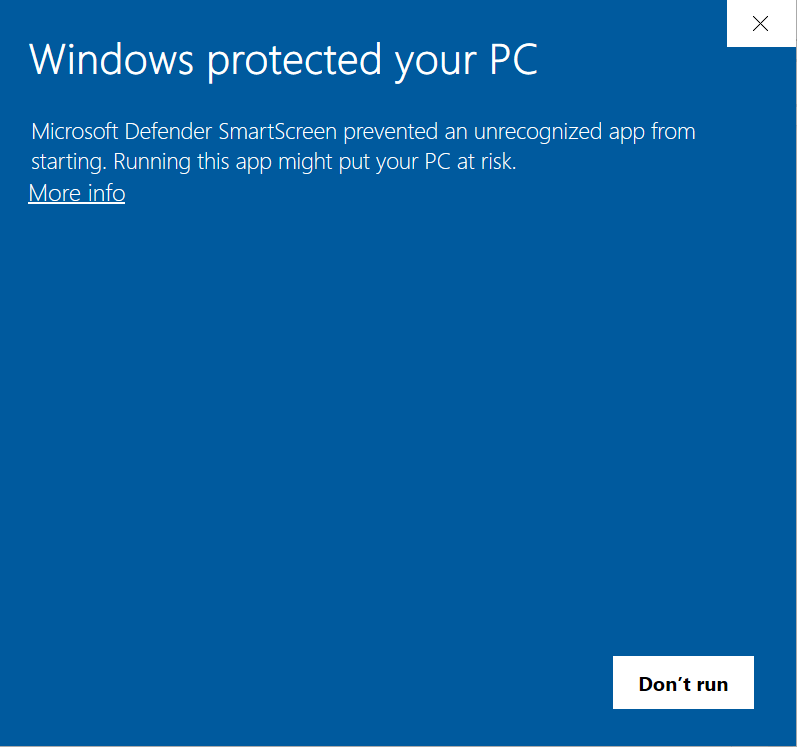
Click on “More info”.
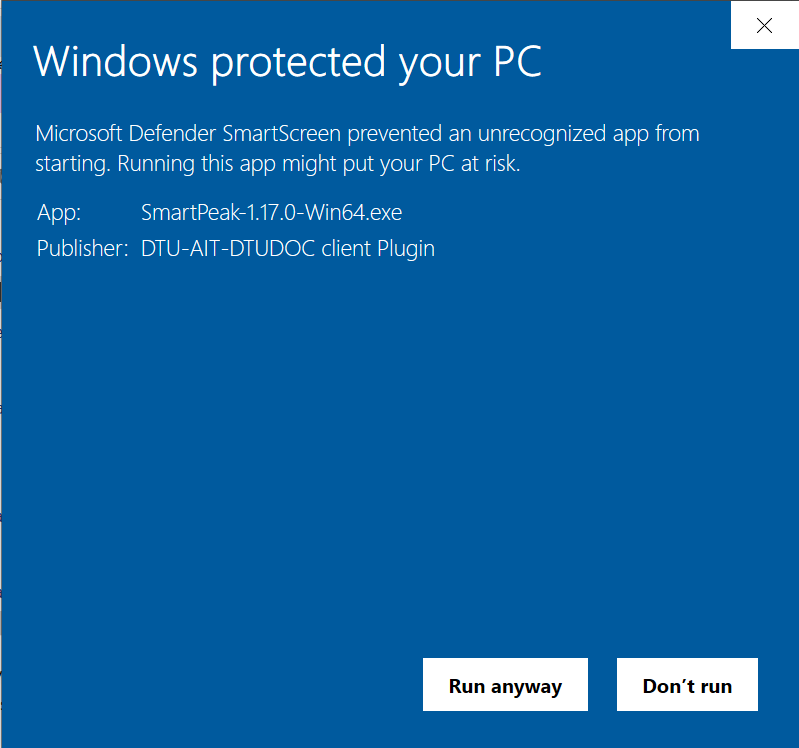
Click on “Run anyway”.
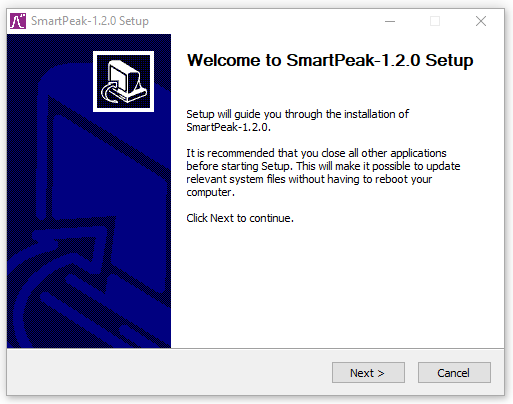
Follow the guide to install SmartPeak.
Example on MacOS
Download latest release for MacOS, e.g. SmartPeak-1.26.0-Darwin.dmg.
Drag and drop both the application files and share folder from the SmartPeak installation to the MacOS Applications folder.